
News
News, guides and tips for Opera users
The latest from Intsys, plus practical how-tos and legislation updates from our support and consultancy team.

Latest Intsys news
UK's Spring Statement 2025: Key Points
On March 26, 2025, Chancellor Rachel Reeves presented the Spring Statement, outlining the government's economic priorities for the year. While the primary focus was on state reform and economic growth, several aspects…
Read the story →
Integrating E-Commerce Sites with Pegasus Opera 3 and Opera SE
As a Pegasus Centre of Excellence, Intsys UK offers a range of integration solutions designed to seamlessly connect your e-commerce website with…
Read article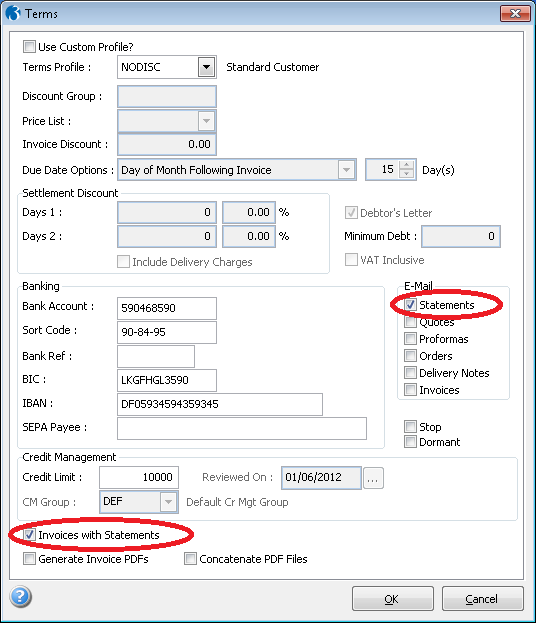
Invoices with Statements
Invoices with Statements is a bespoke utility available for Opera 3 and Opera SQL SE that will automatically attach Invoices and Credit Notes to…
Read article
Bespoke Pegasus Opera 3 SE API Solution
We are excited to announce our new Bespoke Opera API solution, designed to facilitate seamless integration between Pegasus Opera 3 SE and other…
Read article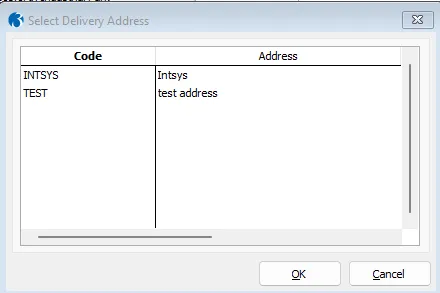
Enhance Your SOP Deliveries with Multi-Address Capabilities
Introducing our latest development: the Multi-Address Solution for SOP Deliveries. This bespoke feature allows you to efficiently manage multiple…
Read articleEnhancing Efficiency with Bespoke Data Import Solutions for Pegasus Opera 3/SE
In today's fast-paced business environment, seamless integration and efficient data management are crucial for maintaining competitiveness and…
Read article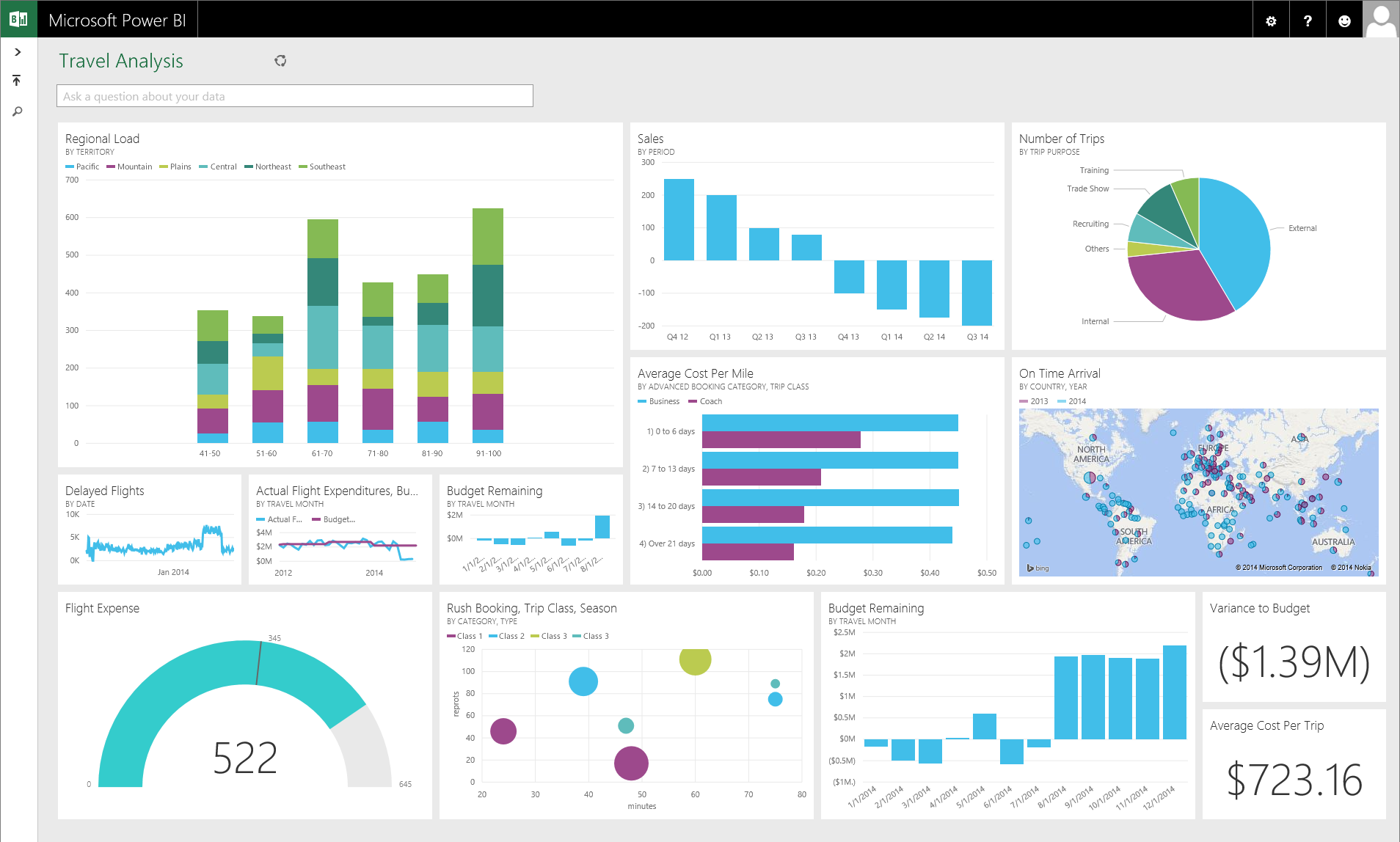
Unlock the Power of Opera SE CRM with Power BI Integration
In today's data-driven business landscape, having robust tools to manage and analyse customer data is crucial. Pegasus Opera SE, a leading business…
Read articleAnnual price change from January 2024
Starting in January 2024, we will introduce an annual price adjustment for our Annual Support Agreements, impacting both monthly and annual payment…
Read article
Leveraging Business Software Solutions for Competitive Advantages
software investment competitive advantage In today's fast-paced and ever-evolving business landscape, companies must continually seek ways to gain a…
Read article
Immediate Tax Deductions: How Investing in Software Can Lower Your UK Tax Bill
Tax deductions invest in software As the financial year-end approaches in the United Kingdom, businesses seek strategies to reduce their tax…
Read article
Leveraging Software Investments to Slash Your Tax Bill at Year-End
Taxes documents As the end of the financial year approaches, businesses and individuals in the UK start exploring ways to reduce their tax…
Read article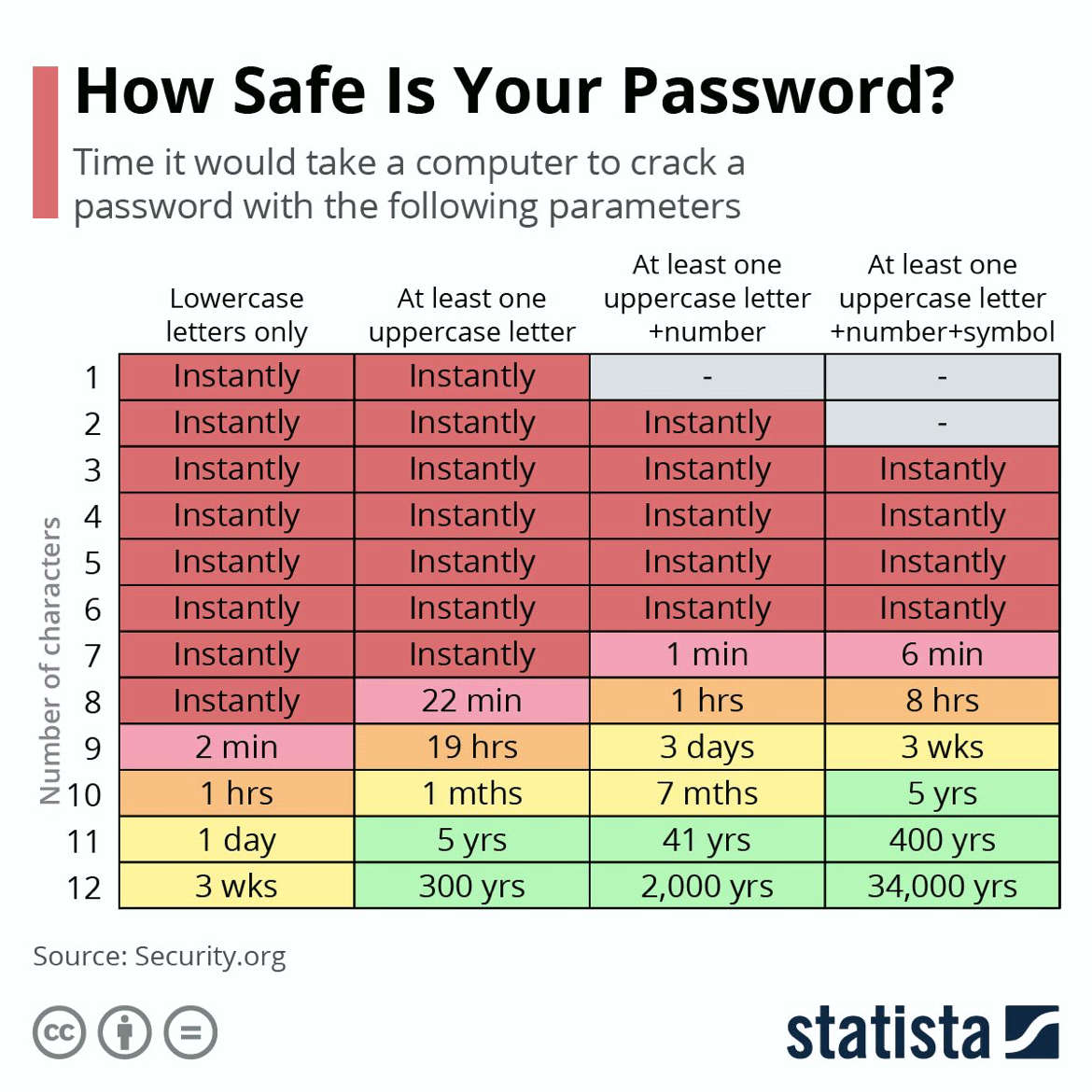
The importance of creating a secure password for your Cloud Solutions
On a global scale, the average cost of a data breach rose from an estimated $3.86 million in 2020 to $4.24 million in 2021. In this year alone 81% of…
Read article
Release of Opera 3 and Opera 3 SQL SE (2.60) MTD compliant
We are pleased to announce the release of the latest upgrade of Pegasus Opera 3 (version 2.60) is now available. This important release includes the…
Read article
All you need to know about our Cloud Purchase Requisition, Purchase Order & Invoice Approval Sol
What is our Purchase Procurement Solution? Intsys has teamed up with Zahara to integrate their Cloud Purchase Management software with Opera 3 and…
Read article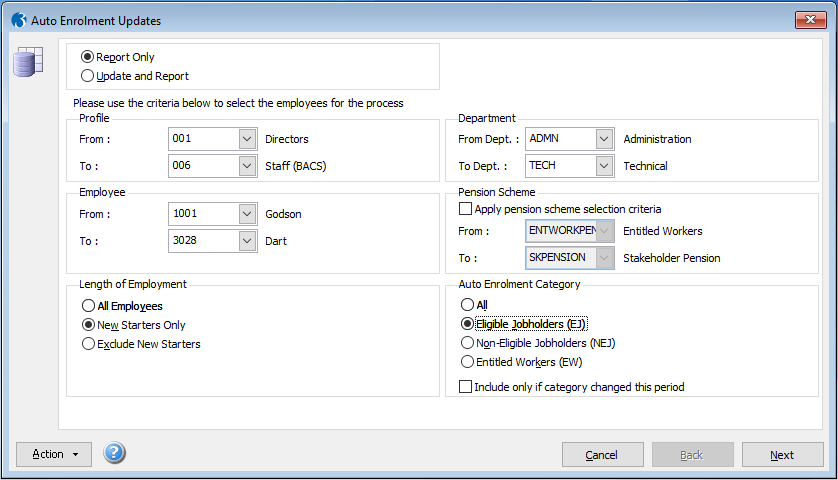
Global Updates for Auto Enrolment in Pegasus Opera 3
If you need to process Auto Enrolment for multiple employees in Pegasus Opera 3, there is a handy feature to make global Auto Enrolment Updates,…
Read article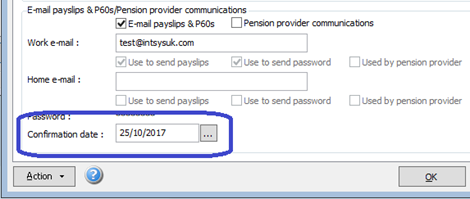
Email Payslips Frequent issues
We have put together a list of the most common queries that have been encountered when using email payslips in Pegasus Opera 3. Note: This article is…
Read article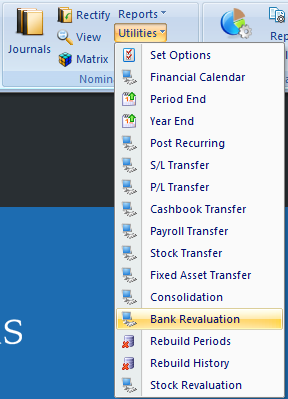
Bank Revaluation in Opera 3
Why is it necessary? If you are utilising the Opera Multi-currency module, it is necessary to revalue your Nominal Foreign Currency bank balances.…
Read article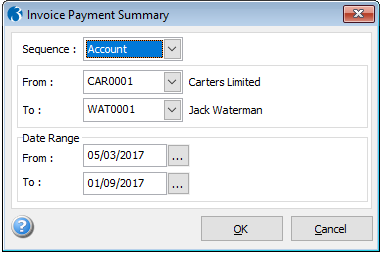
How to create the Invoice Payment Summary in Pegasus Opera 3 to comply with Duty to report on paymen
\\This report is only available in Opera 3 v2.42 and subsequent versions\\ The Invoice Payment Summary report produces an analysis of payments made…
Read article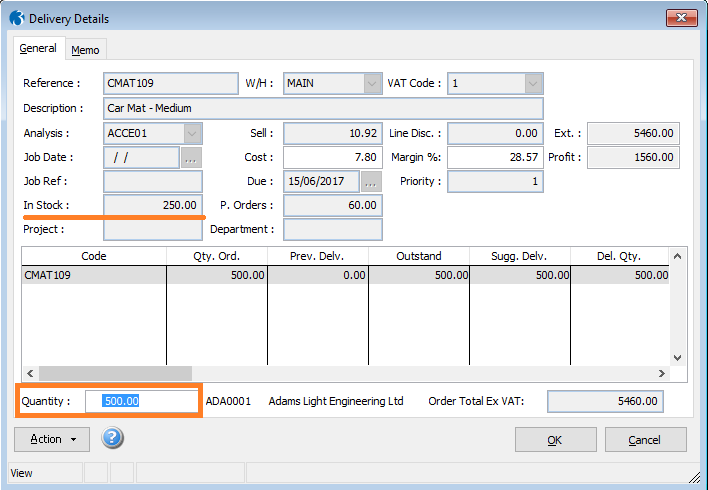
SOP Partial Deliveries/Invoices. How to part deliver/invoice a sales order in Pegasus Opera 3?
If you don't currently have enough stock to complete a Sales Order, or would like to split the full amount of items into multiple deliveries/invoices…
Read article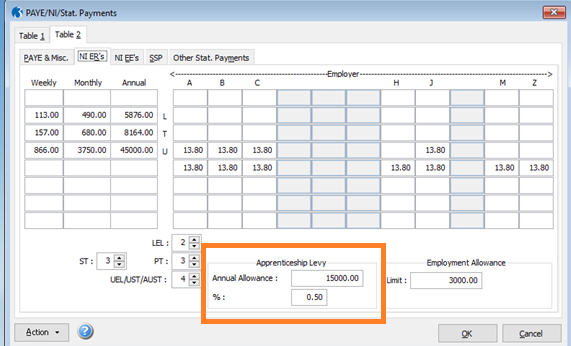
How to set the Allowance for the Apprenticeship Levy in Payroll
In April 2017, the government introduced new rules for how apprenticeships would be funded in the UK. All companies with a paybill of over 3 million…
Read article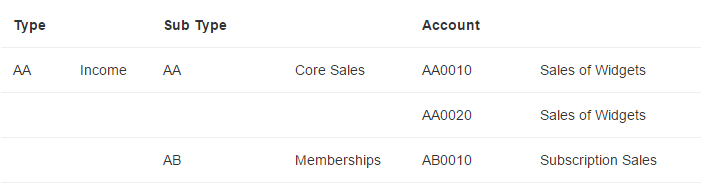
What is the difference between a Cost Centre and The “Project” and “Department” fields in the Nomina
In any Financial software, the coding structure is the key to unlocking superior business analytics and KPI’s - using all of the available levels to…
Read article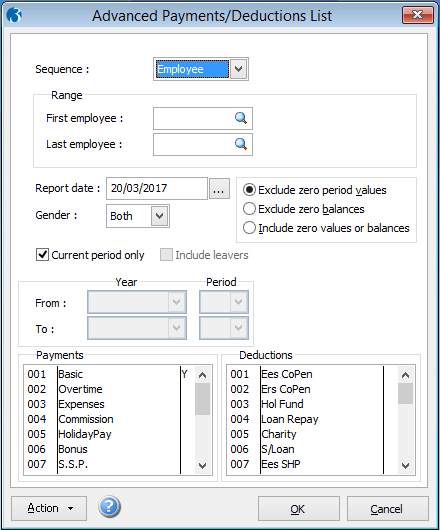
Advanced Pay & Deduction List Explanation
In the latest Pegasus Opera 3 Payroll version released for the tax year 2017-2018, you can now report in more detail on multiple Pay and Deduction…
Read article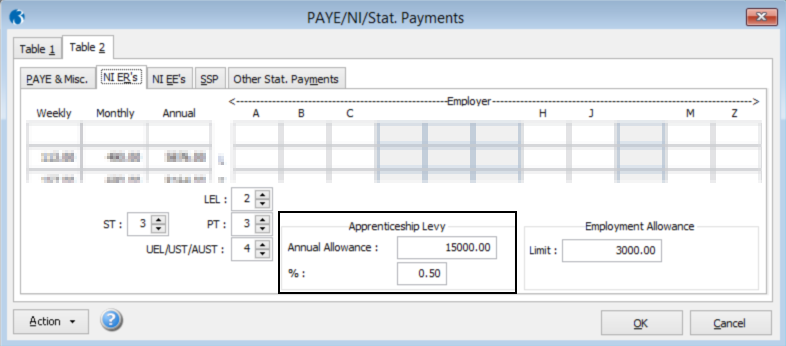
Apprenticeship levy. Software changes in Pegasus Opera 3
Where the levy allowance and rate are recorded The apprenticeship levy allowance and rate is automatically recorded on the Payroll - Utilities -…
Read article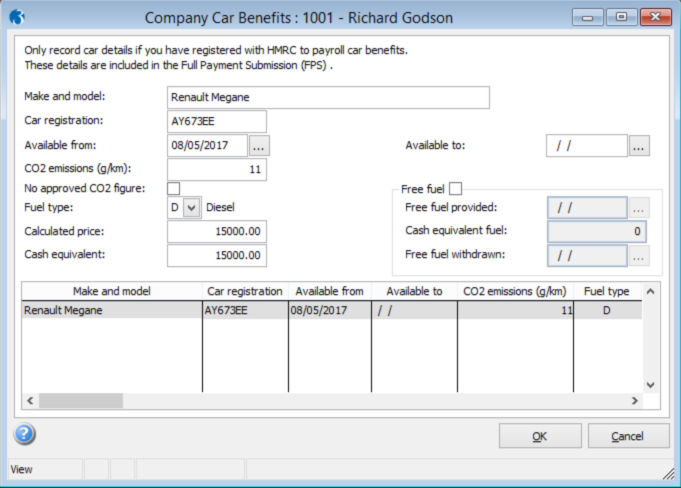
Payrolling company car benefits. Software changes in Pegasus Opera 3
Where to record the benefit A new form called Company Car Benefits is available under ‘Payrolling Benefits’ on the Action menu on these forms:…
Read article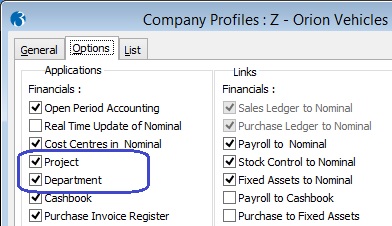
How to enable / use advanced Nominal Ledger Analysis (project and department)
If you have purchased the Advanced Nominal Ledger feature for your Pegasus Opera 3 system, you will be able to have additional levels of analysis to…
Read article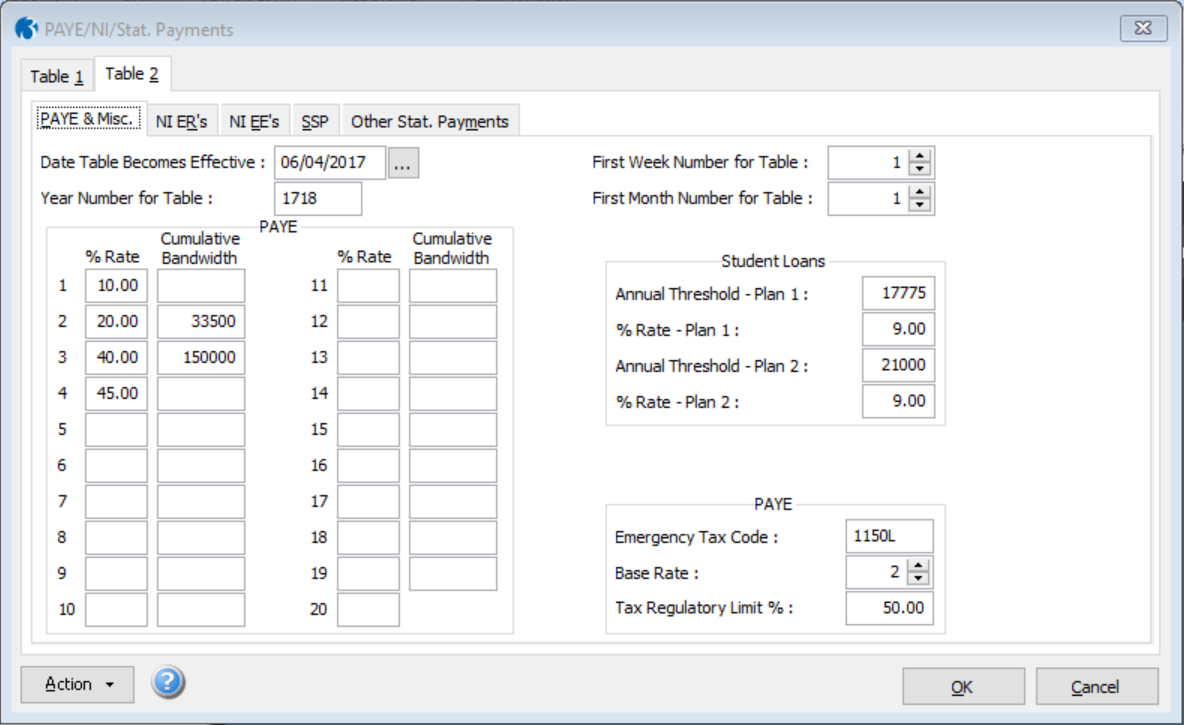
New rates and bands for the 2017-18 tax year
The new rates and bands for the 2017-18 tax year are updated when you run the Update Data Structures command in the System Manager or the Copy…
Read article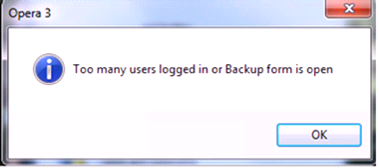
Locked Companies or Users in Pegasus Opera 3
If you find cannot access your company data, Opera may present you with a message indicating the company is locked or there is no access. This can…
Read articleScottish income tax in Pegasus Opera 3 Payroll
Emergency Tax Code, Base Rate and Tax Regulatory Limit For Scottish taxpayers, this is recorded on the Payroll - Utilities - Scottish Tax form. For…
Read article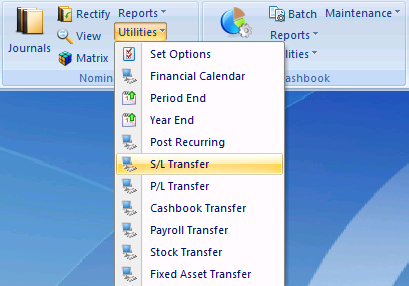
Nominal Transfer Routines In Pegasus Opera 3
As you know, various modules can link to and integrate with the Nominal Ledger in Pegasus Opera 3. If Real-Time Update of Nominal is switched on…
Read articleHow to schedule backups in Pegasus Opera 3
The Importance of Backups: IT Systems as well as the associated software are now extremely resilient; however there will always be occasional…
Read article
Online Accounting: Using Opera 3 in the Cloud
With the ever growing shift in movement to online accounting solutions, we have put together some guidance for our Pegasus Opera 3 Cloud users. Q.…
Read article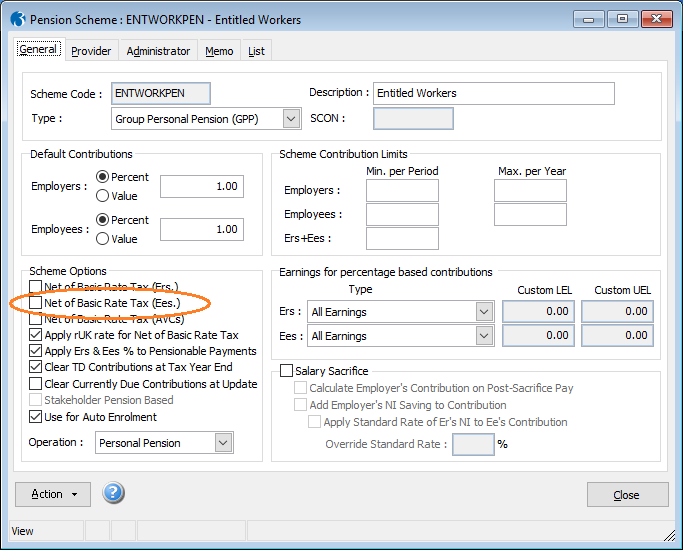
Auto Enrolment Pension Schemes: Relief at Source or Net Pay for arrangement.
Pension Scheme Settings in Opera 3 Payroll: There are two ways pension schemes can collect the tax relief that savers benefit from when contributing…
Read article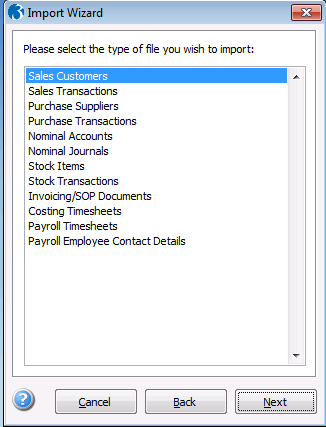
How to run the Import Wizard?
Importing transactions into any accounts system, including Pegasus Opera 3 is not straightforward – this is because of the need to navigate the…
Read article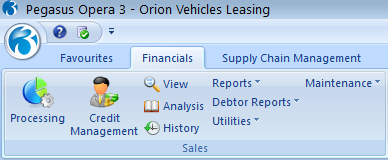
Setting Credit Management Terms in Pegasus Opera 3
Opera 3 Credit Management Centre provides credit controllers and other people involved in debt management with a consolidated view of the information…
Read article
How to create users in Pegasus Opera 3
1\. Creating users Hired a new employee? Do they need access to Pegasus Opera 3 and you need to create a new user? In order to use this feature you…
Read article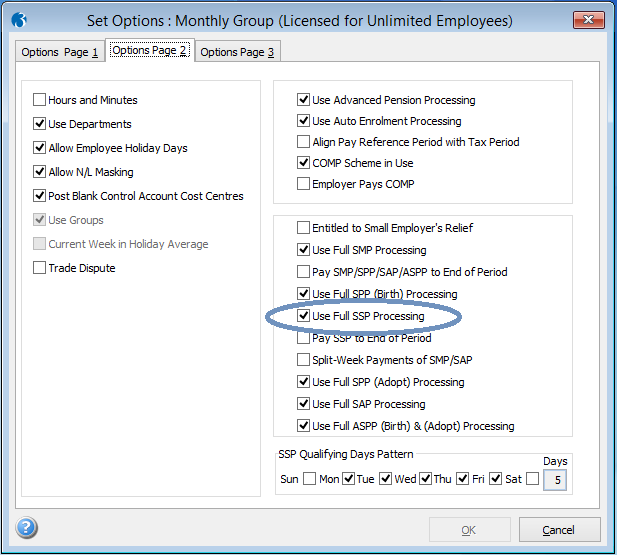
How to calculate Statutory Sick Payments SSP in Pegasus Opera 3
If your employees are entitled to Statutory Sick Pay you can use Pegasus Opera 3 to automatically calculate and process the amount due. In order to…
Read article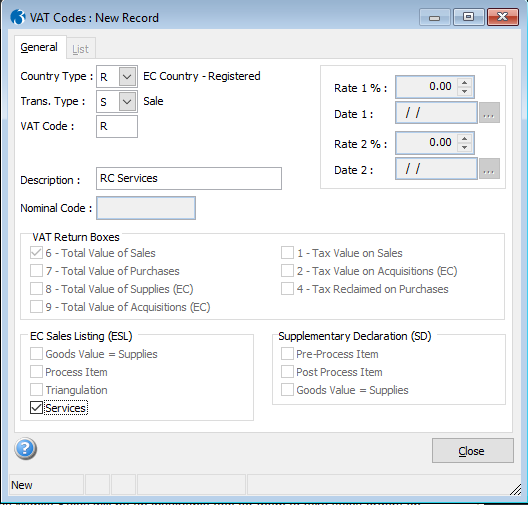
EC Reverse Charge - Sales VAT Codes (Services)
If you provide services that are subject to Reverse Charge accounting to different EC countries, you may need to create one VAT code for the…
Read article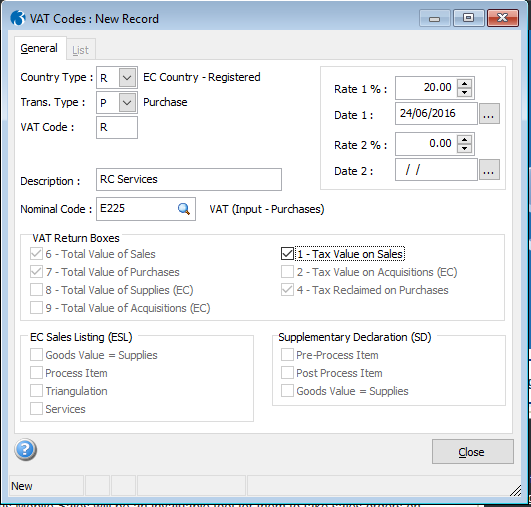
EC Reverse Charge - Purchase VAT codes (Services)
If you receive services that are subject to Reverse Charge accounting from different EC countries, you may need to create one VAT code for the…
Read article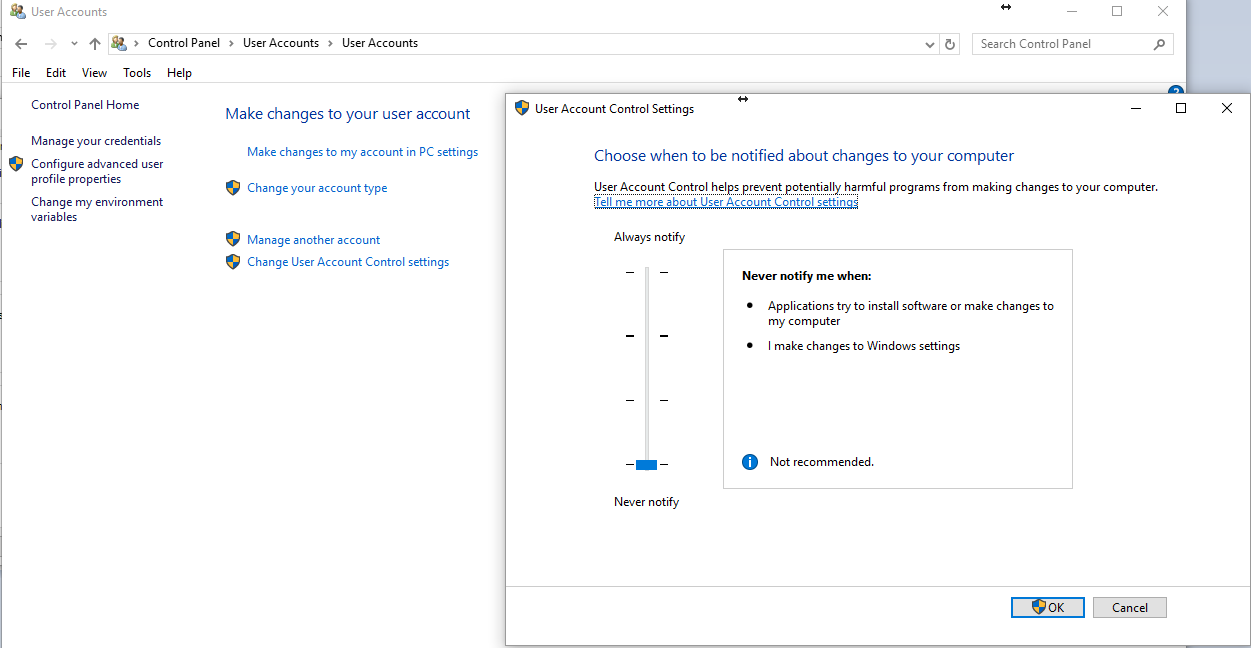
Optimise your Pegasus Opera System
The Intsys Support Team has put together some general tips to help ensure your Pegasus Opera System can operate at its optimum level and minimise any…
Read article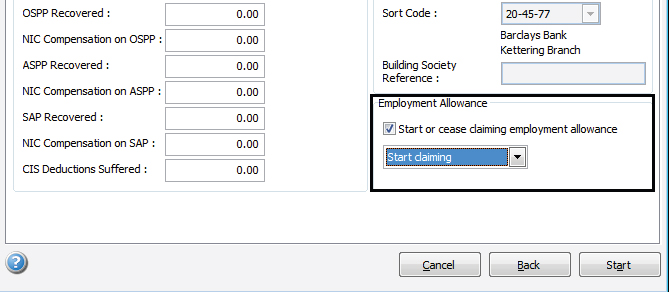
Employment Allowance (Employers NI)
In the 2016-17 tax year employers can inform HMRC that they want to claim the annual employment allowance using an indicator on an EPS submission.…
Read article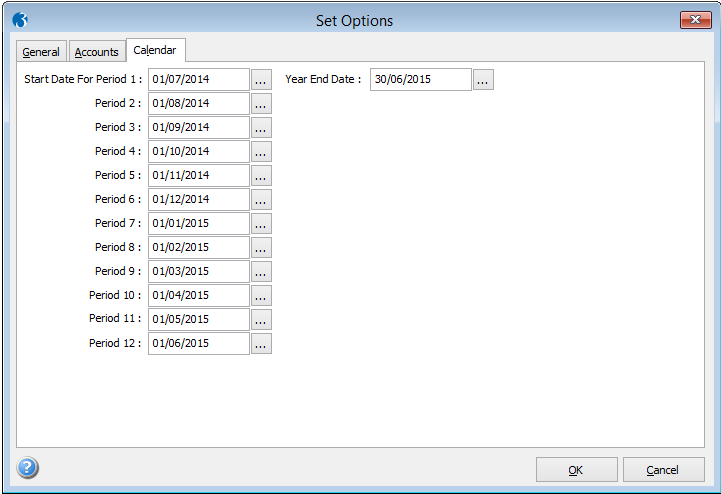
Financial Calendar changes
There are two ways of adjusting your financial calendar depending on the configuration of your Pegasus Opera system. This is useful should you need…
Read article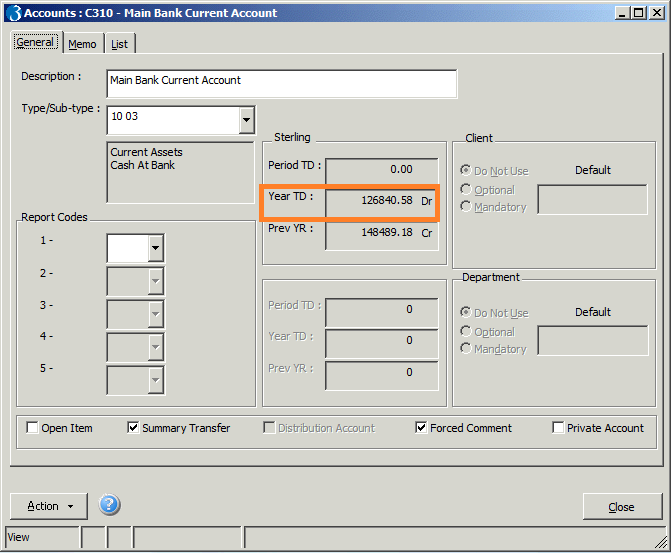
How to reconcile Cashbook with Nominal Ledger in Pegasus Opera 3
As you appreciate, the Pegasus Opera 3 Cashbook is integrated with the Nominal Ledger and as such the transactions entered within the cashbook will…
Read article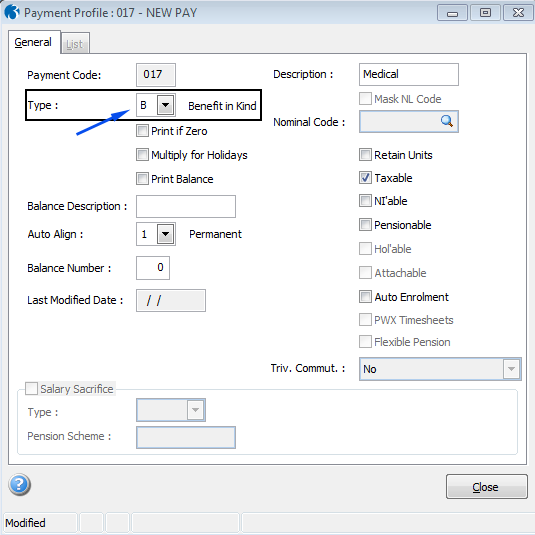
Payrolling of Benefits in Kind in real time
Software changes Changes are not needed for this. Payment profiles can already be set up for benefits in kind using the Payroll - Maintenance -…
Read article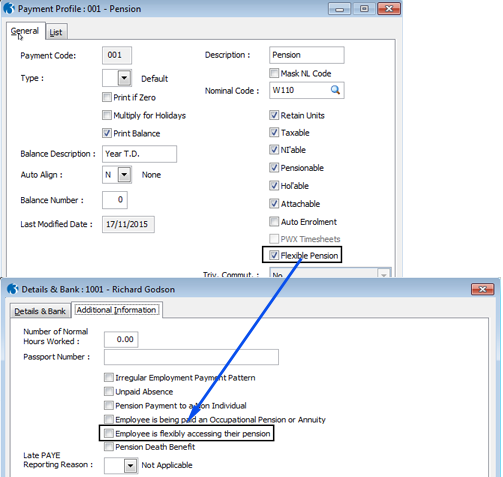
Full Payment Submission
NI Category letter H The new NI Category letter H - for apprentices under 25 - is accepted in the FPS in the 2016-17 tax year. Pension death benefits…
Read articlePayroll End of Year 2016 video
Check out our 40 minute intro webinar to Payroll End of Year for the steps you need to take at the End of the Year 2015/2016 and to set up the new…
Read article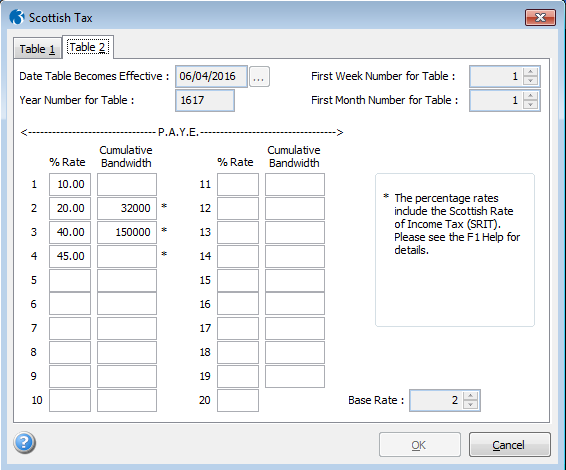
Scottish tax rates
Income tax rates for employees who are subject to the Scottish Rate of Income Tax (SRIT) are maintained on the Payroll - Utilities - Scottish Tax…
Read article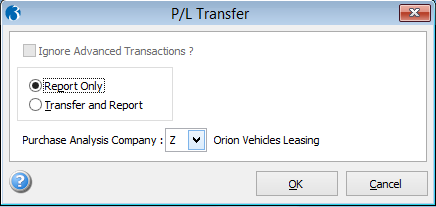
Reconciliation of your Ledgers in Opera 3
We know reconciliation can sometimes be a pain! To help you on your way, the Intsys Support Team has compiled a list of the most common causes of…
Read article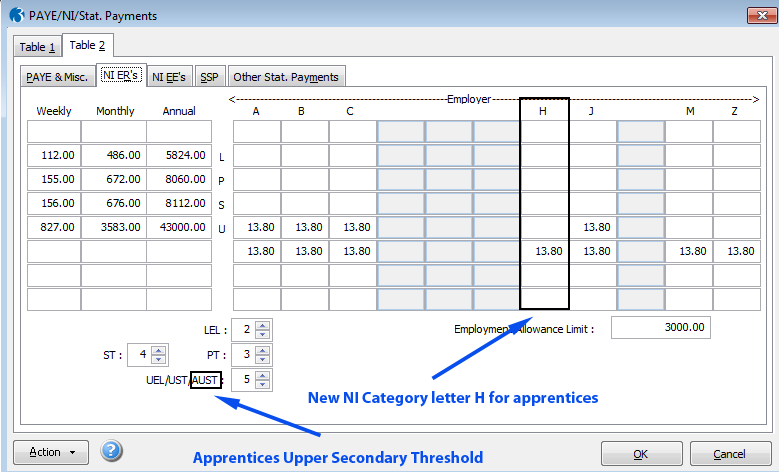
Abolition of employer's NI apprentices under 25
Payroll - Utilities - PAYE/NI/Stat. Payments The NI ER's tab - which displays the employer's NI rates and thresholds - includes a column for NI…
Read article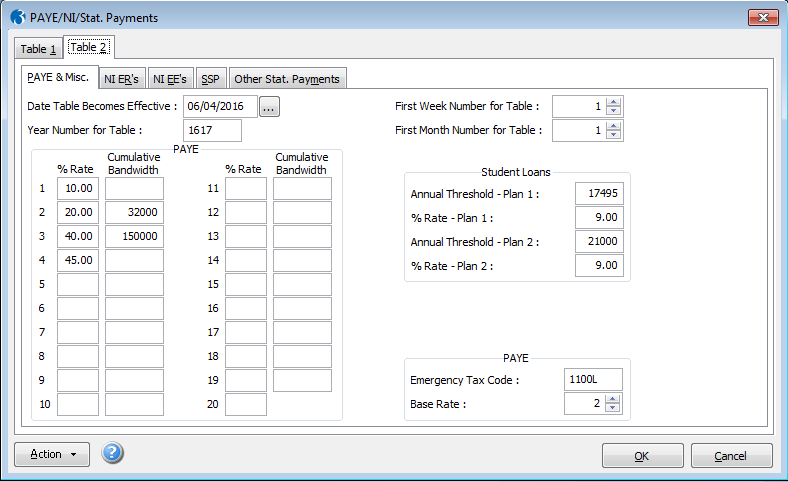
PAYE, NI and statutory payments
The new PAYE, NI, statutory payments details are shown on the Table 2 tab of the Payroll - Utilities - PAYE/NI/Stat. Payments form. Auto enrolment…
Read article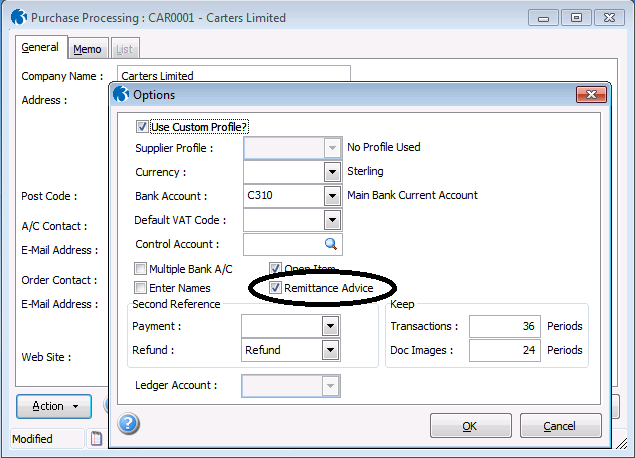
Send your Remittance Advice by email
In Pegasus Opera 3 you can save time and money by sending Remittance Advices electronically. In order to enable your Pegasus Opera 3 software to do…
Read article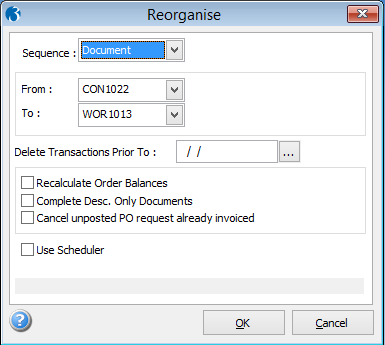
Reorganise your Documents In Pegasus Opera 3
Coming to the end of the year? Want to tidy your Accounts system? Opera 3 has some useful features to assist you with this. The Reorganise function…
Read article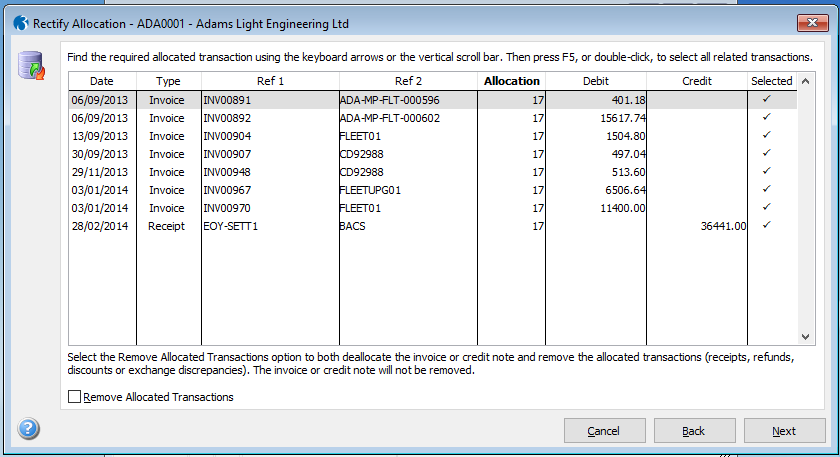
Rectify Allocations and Removing Allocated Receipts o Refunds
Did you know you can use the Rectify Allocation routine in Pegasus Opera 3 to remove allocated transactions as receipts and refunds from your Sales…
Read article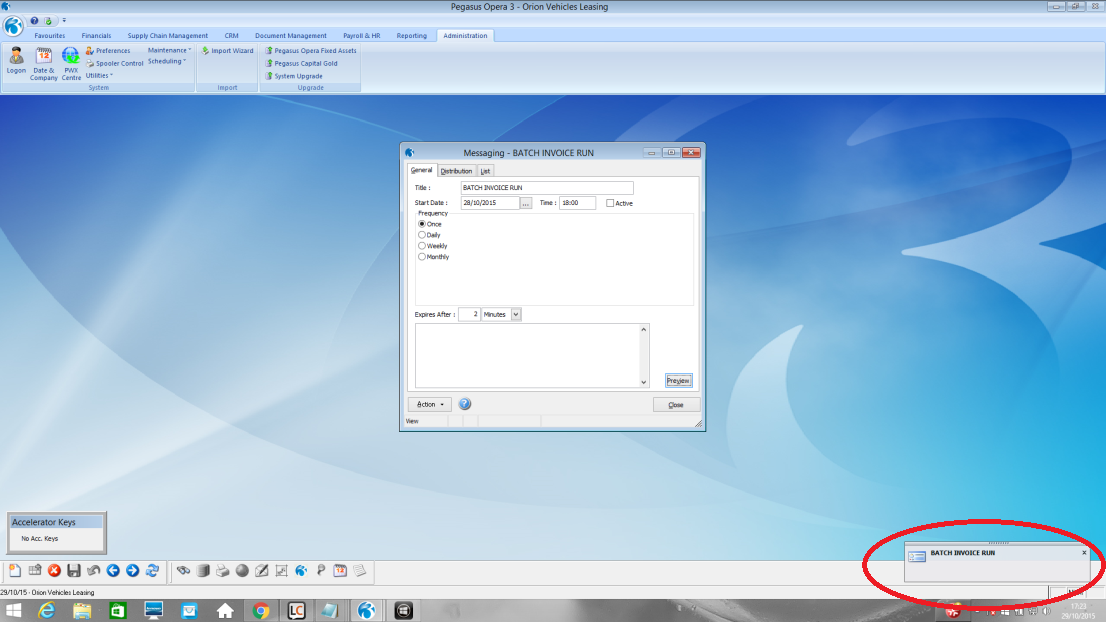
Messaging in Opera 3
Have you ever needed or wanted to send messages to a particular user or a group of users in Opera 3? Scheduled pop up messages on each user's desktop…
Read article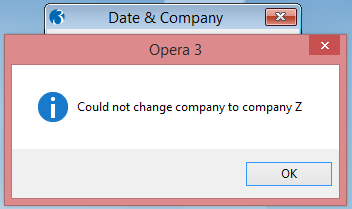
How to Unlock a Company or User
As many of us know, occasionally there may be times when we cannot access Opera, or we need to do an exclusive process such as take a backup and the…
Read article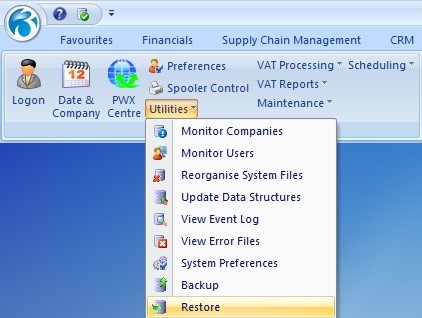
How to Restore a backup in Pegasus Opera 3
Should you ever need to restore to a previous state in your Pegasus Opera 3 system, provided you have taken a backup of the relevant company, the…
Read article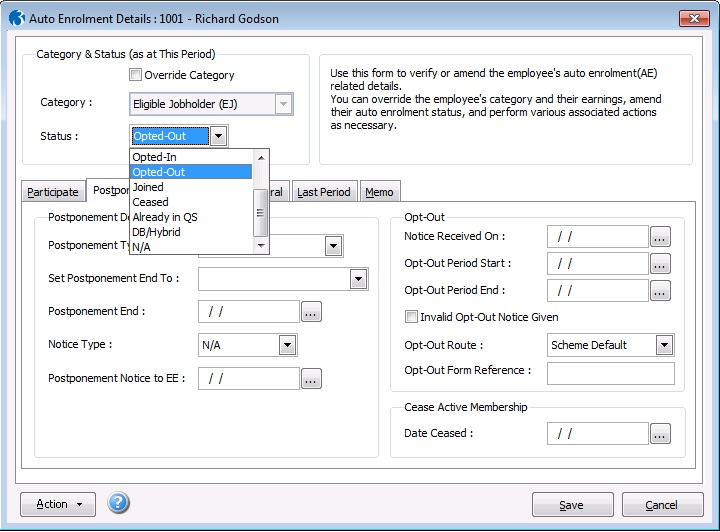
How to opt-out an Employee
After being enrolled, employees who are categorised as an eligible jobholder or non-eligible jobholder can decide to opt out. They can only do this…
Read article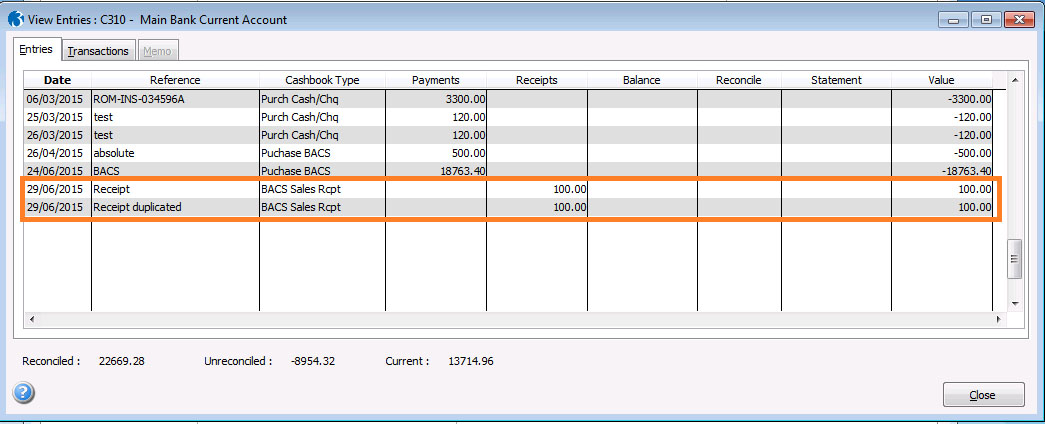
Cashbook Matching
If you are using the cashbook in Pegasus Opera 3 and have found that you have posted a transaction in error, the cashbook Matching feature is an…
Read article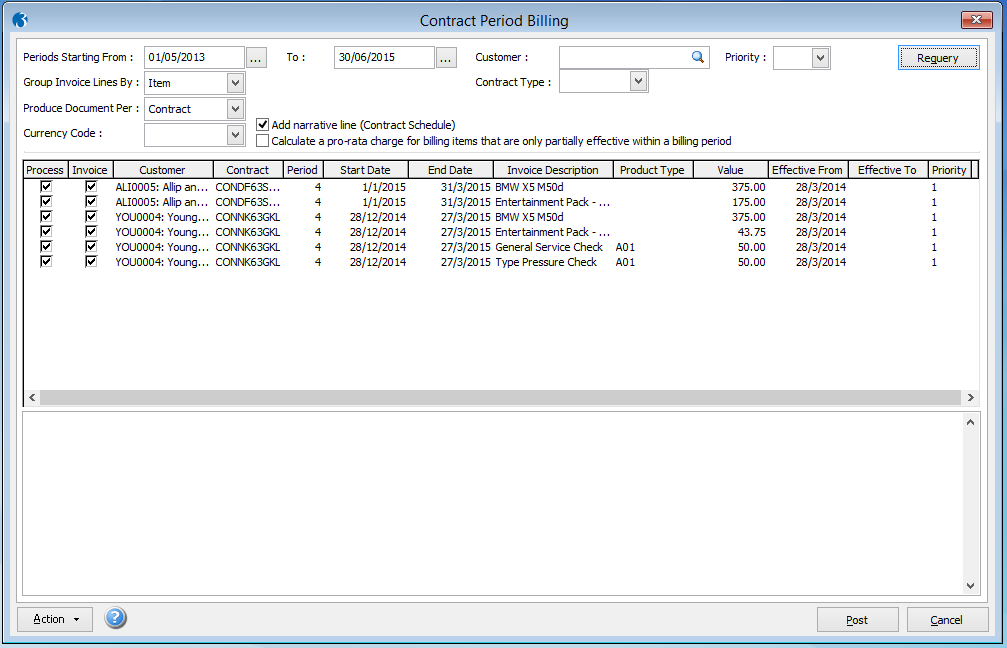
How to Invoice via Contract Period Billing
Contract Period Billing, within the CRM module, posts documents to the Invoicing/SOP module so that they can be progressed to invoices via the…
Read article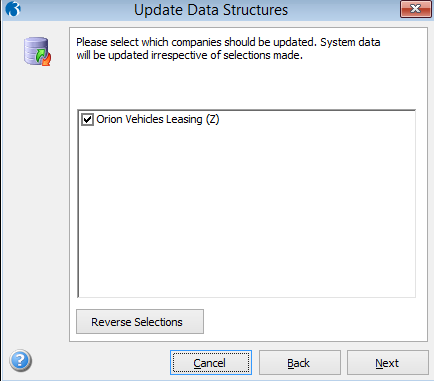
How to run Update Data Structures in Pegasus Opera 3
The Update Data Structures (UDS) command updates the structure of your Pegasus Opera 3 company data files to match the latest data dictionary of the…
Read article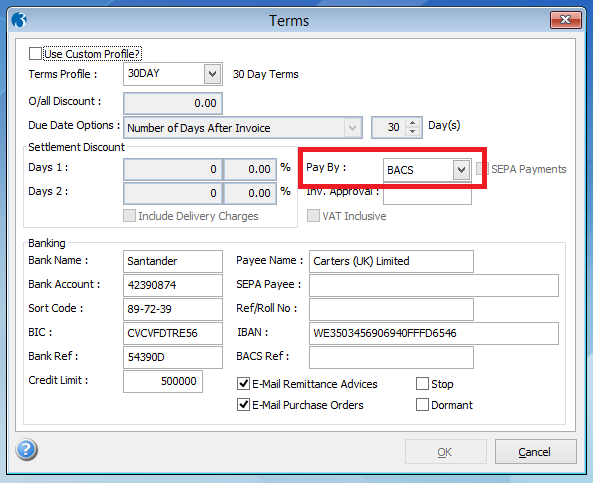
Why is an Invoice/Payment not appearing in the Purchase Authorise BACs?
In Pegasus Opera 3 there may be occasions when your invoice or payment does not appear in the Authorise BACs screen in the Purchase Ledger. There are…
Read article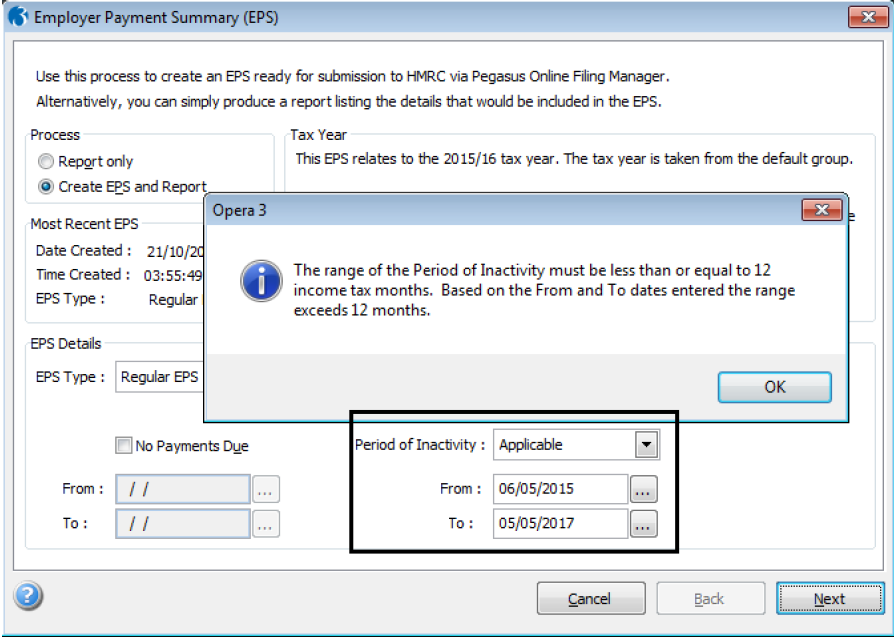
The valid date range for a period of inactivity that can be included in the Employer Payment Summary
HMRC has extended the maximum permitted period of inactivity to 12 months. The period of inactivity is an indication to HMRC that for one or more…
Read article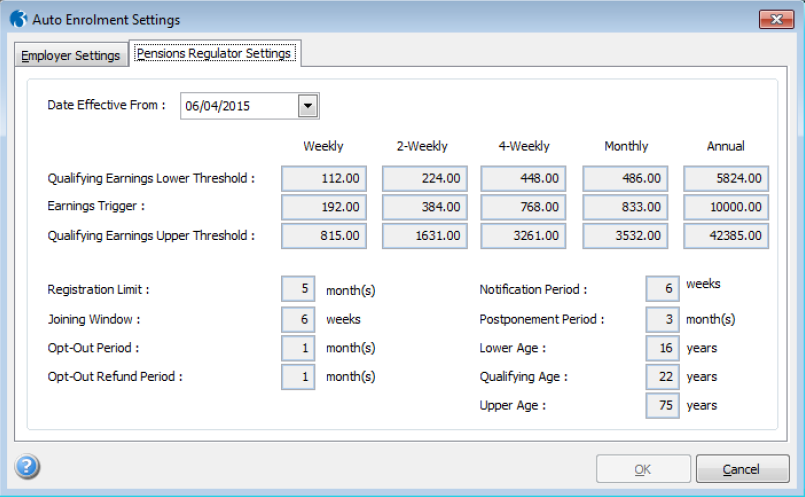
New thresholds for auto enrolment
This is how the 2015-16 thresholds and settings for auto enrolment look on the Auto Enrolment Settings form (Payroll - Utilities) after they have…
Read article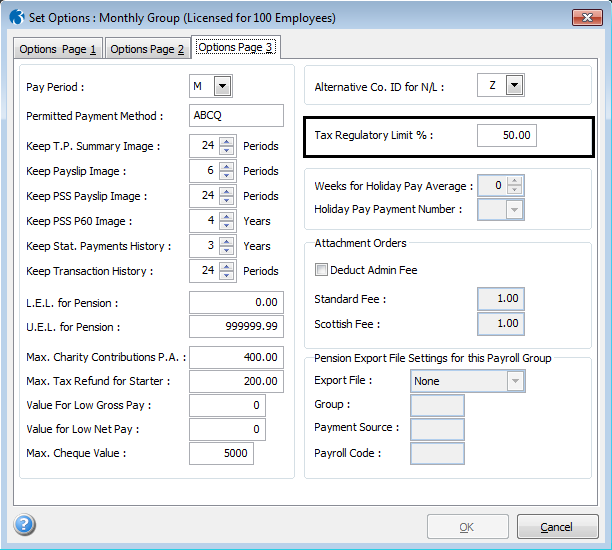
Tax deductions will be restricted to 50% of taxable pay for all tax code types
The calculation commands now limit the amount of tax that can be deducted to 50% of each employee’s gross pay or pension. This applies to both the…
Read article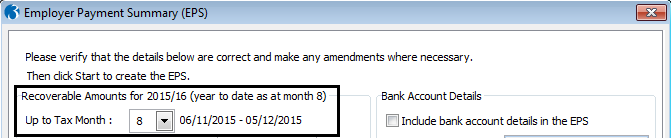
The Employer Payment Summary will include a tax month for HMRC to allocate recovery and compensation
Recovery and compensation amounts reduce the amount payable to HMRC for a tax month. A new field in the EPS has been introduced to inform HMRC of the…
Read article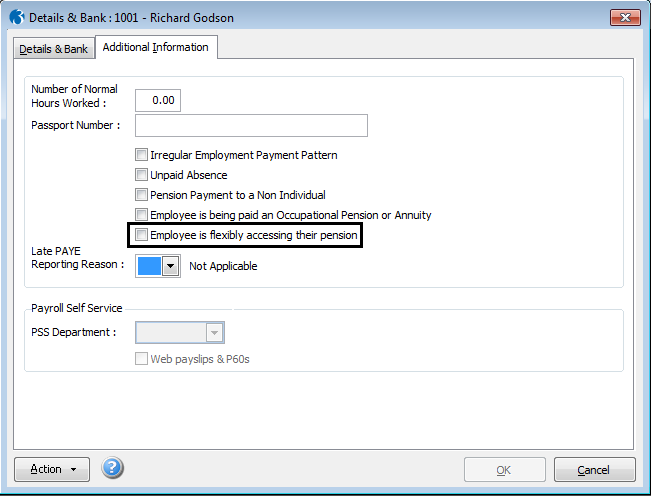
The Full Payment Submission will include an indicator to inform HMRC if an employee flexibly accesse
The Taxation of Pensions Bill published in October 2014 makes it possible for people aged 55 and over to withdraw either some or all of their pension…
Read article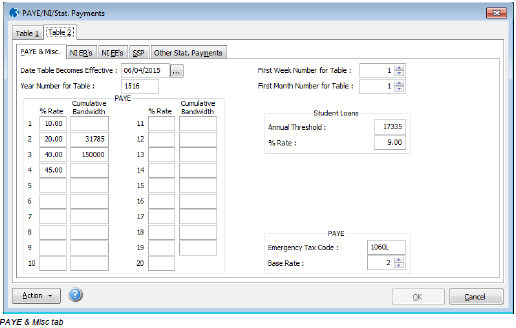
New rates and bandwidths for NI, PAYE and statutory payments in Pegasus Opera
This is how the 2015-16 NI, PAYE and statutory payments rates and thresholds look on the Table 2 tab of the PAYE/NI/Stat Payments (Payroll -…
Read article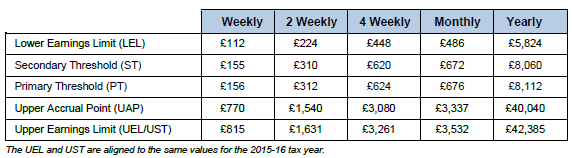
New rates and bandwiths for NI, PAYE and Statutory payments
From 6 April 2015, the NI, Income Tax and statutory payments rates and bandwidths will be the following: NICs Bandwidths Employer (Secondary) NIC…
Read article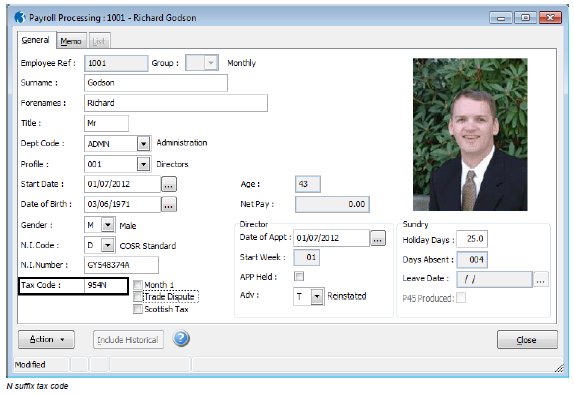
New M and N tax code suffixes for married partners or civil partners to transfer or receive a portio
The most common tax codes are those ending with ‘L’, the other codes end with ‘P’ or ‘Y’ (age related codes) and now ‘M’ and ‘N’ for employees who…
Read article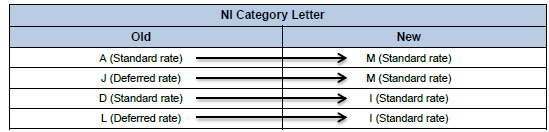
New NI category letters M, Z, I and K for under 21s
Opera has been changed so that the new NI category letters are automatically allocated to employees who are under 21. To make the transition easier,…
Read article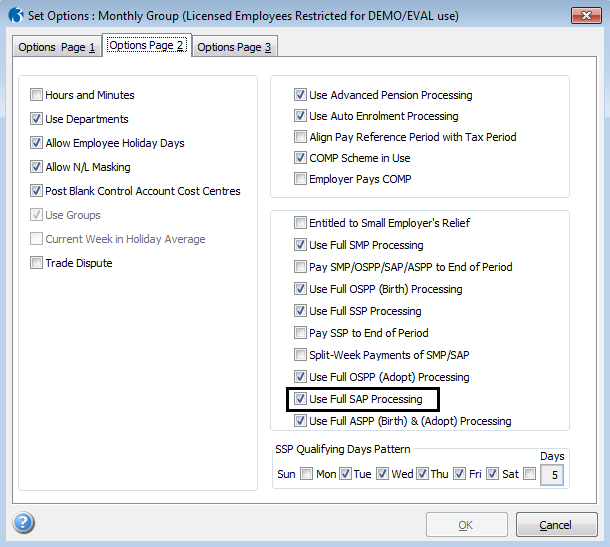
Statutory Adoption Pay will be paid for the first six weeks at 90% of average weekly earnings
Where the adoption pay period starts before 5 April 2015, SAP is paid for the entire 39 weeks at either the lower of the standard weekly rate or 90%…
Read article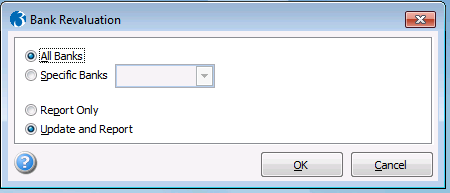
Bank Re-valuation in Opera 3
In Pegasus Opera 3 you can use the Bank Revaluation command to revalue the balances of foreign currency bank accounts where the exchange rate has…
Read article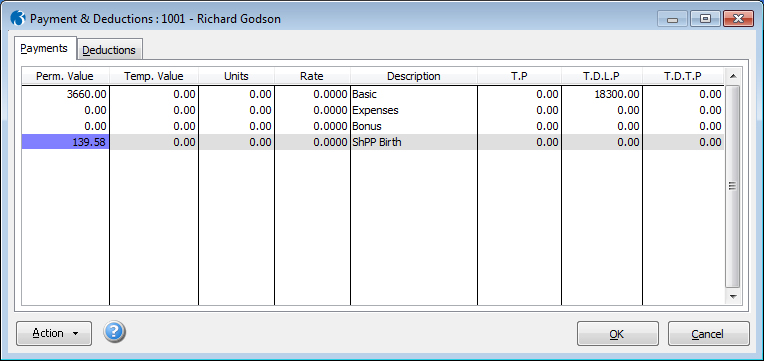
Additional Statutory Paternity Pay will be replaced by Shared Parental Pay
Payments & Deductions ShPP payments are entered on the Payments & Deductions form (accessed from the Payroll - Processing form). You can enter both…
Read article
Pegasus Opera and XRL Permissions and Exclusions
Pegasus Opera 3 and XRL require a constant, unbroken connection to the Pegasus database located on the server. An "onaccess" virus scanner will lock…
Read article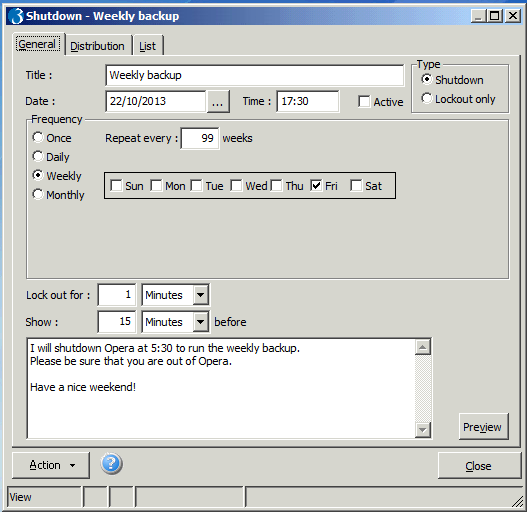
Shutdowns and Lockouts in Opera 3
There are some processes within Pegasus Opera 3 which require exclusive access, meaning that everyone except the user wishing to carry out the…
Read article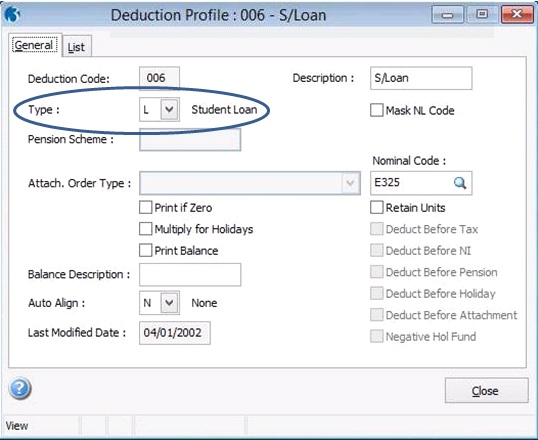
How to enable Student Loans in Pegasus Opera 3
As an employer, you are responsible for checking if a new employee needs to make repayments on a student loan and making the deductions where…
Read article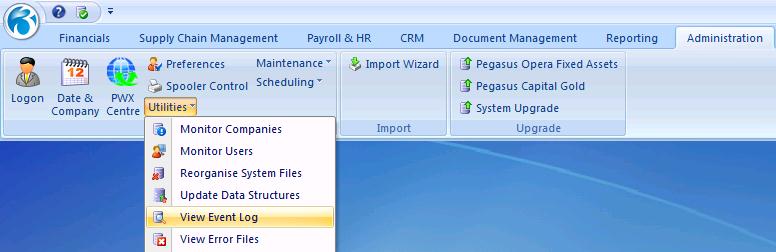
View or Disable the Event Log in Pegasus Opera 3
By default, Pegasus Opera 3 automatically maintains a log file that records when users log on and off the system. Each entry in the log includes the…
Read article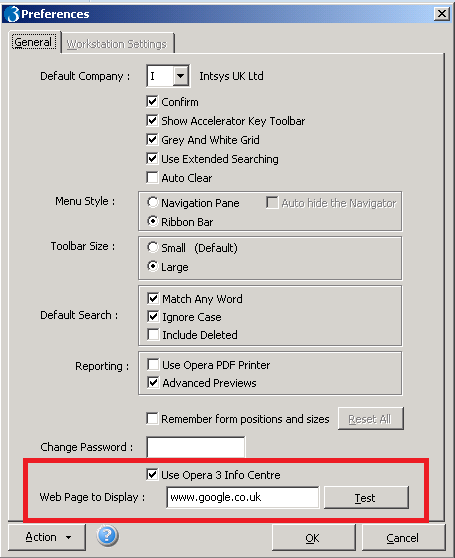
Change your background and default webpage in Pegasus Opera 3
Personalise your Opera 3 with a webpage Pegasus Opera 3 has the functionality to automatically open with a webpage in the background (either the…
Read article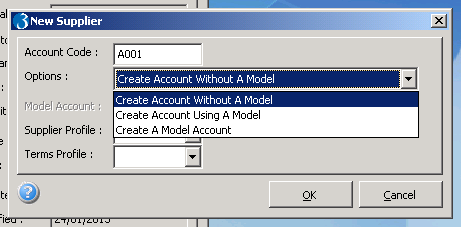
Creating Suppliers: To Model or not to Model
This article describes how to create a Supplier Record and also the significance of Model accounts. When you create an account, the record becomes…
Read articleBackups, why are they necessary?
Every business is now reliant on computerised systems, it is therefore essential for the well being of a company to have constant access to these…
Read article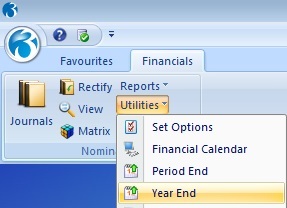
Running the Year End in Pegasus Opera 3
At the close of every financial year you must do a Year End, essentially to clean up your accounts and allow the system to move to the next financial…
Read article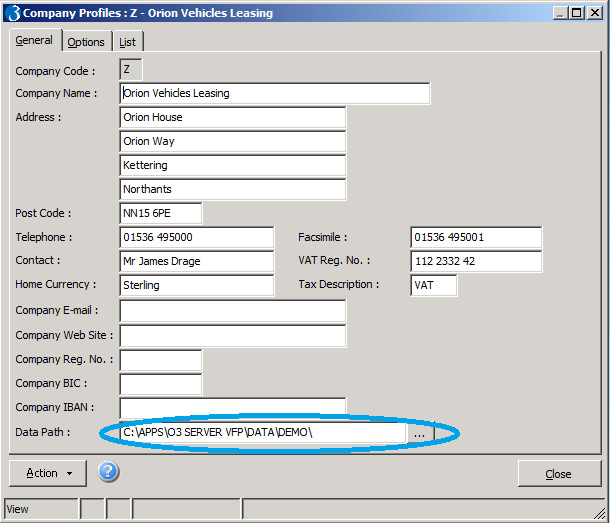
Where is your data?
Every company has a profile record which stores the company name and address details as used by certain reports and documents produced from the…
Read article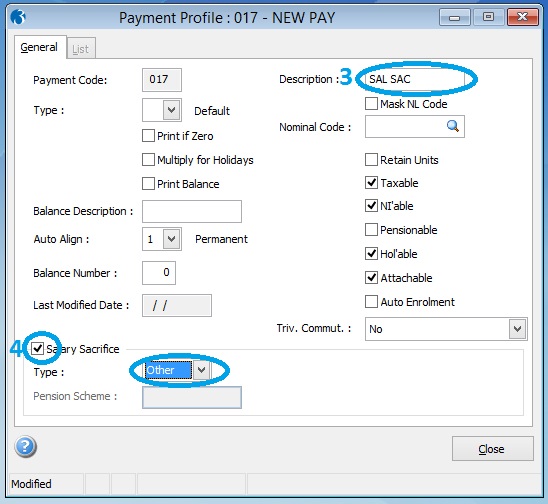
How to Set Up Non-Pension Salary Sacrifice
This article describes how to set up salary sacrifice in Opera 3 for contributions to schemes other than pension schemes, for example child care…
Read article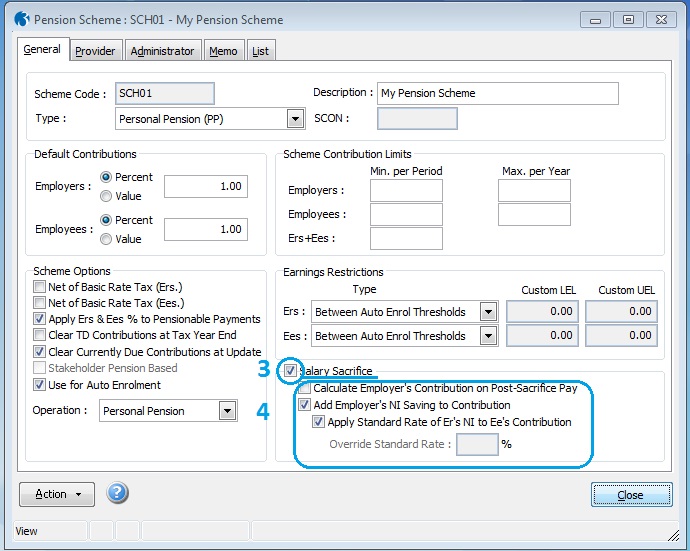
How to set up Salary Sacrifice for Pensions
In this article it is described how to set up salary sacrifice in Opera 3 for pension contributions. You can set up value-based salary sacrifice…
Read article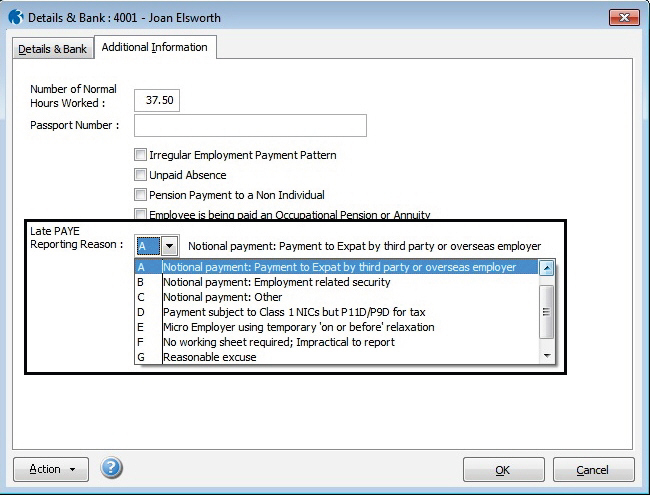
New Late PAYE Reporting Reason
Employers are obligated to submit Full Payment Submissions on or before each pay day. If they are not able to meet the obligation a Late PAYE…
Read article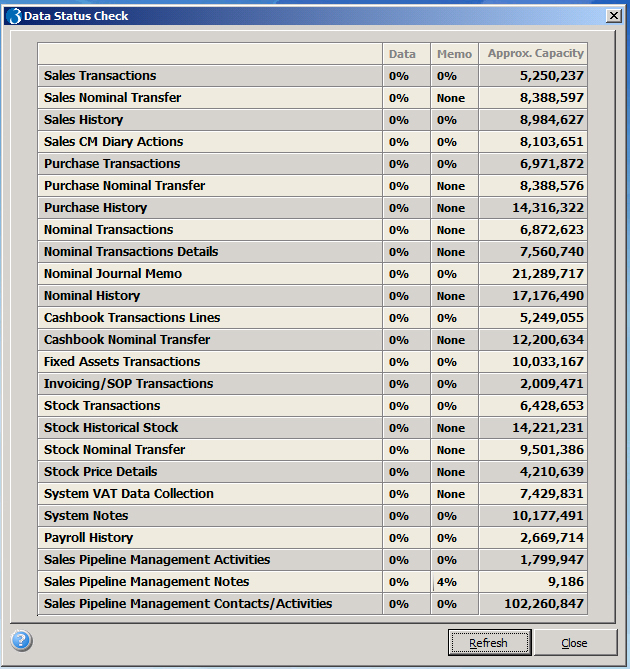
Why is it important to manage your data?
With any system, the size of your data - if not managed effectively can sometimes affect the performance and in extreme circumstances, prevent the…
Read article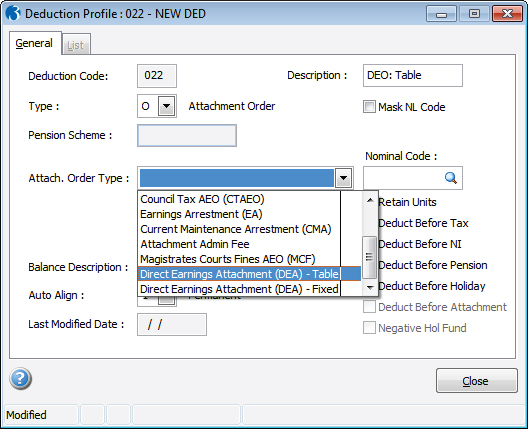
Direct Earnings Attachments (DEA) in Pegasus Opera 3
The deduction amount for this new attachment order is calculated by using a table of bandwidths and percentages for weekly and monthly paid employees…
Read article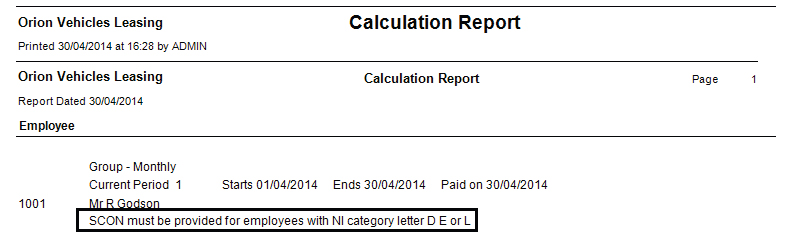
SCON Numbers for COSR Pension Schemes
From 6 April 2014 Scheme Contracted-Out Numbers (SCON) will be mandatory in Full Payment Submissions if an employee is a member of a COSR…
Read article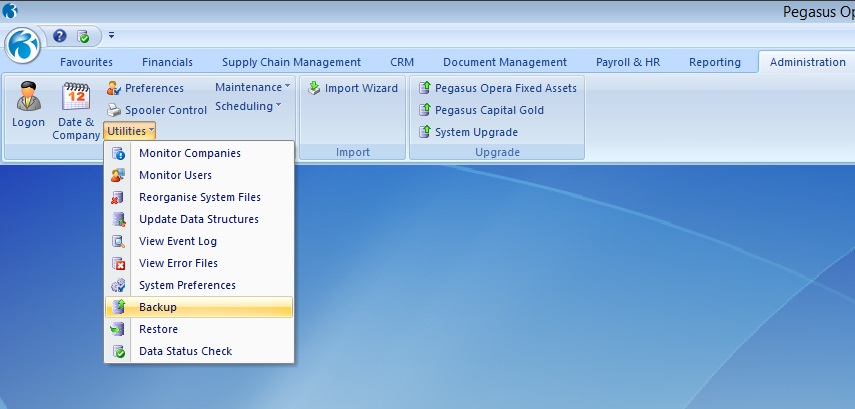
How to take a data backup in Pegasus Opera 3
There is a facility within Pegasus Opera 3 that allows any user with “Manager Rights” to take backups of their data for selected companies. There may…
Read article
New Website Launch
The new Intsys website has been released on the 24/11/2014. At intsys we are very excited to have finally launched our new website. We have make it…
Read articleAuto Enrolment webinar
Check out our 30 minute intro webinar to auto enrolment for the steps you need to take to assess your workforce; and how to enrol those workers into…
Read article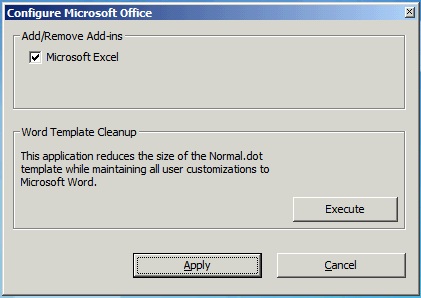
How to enable your Pegasus XRL software Add-in
If you are using XRL in conjunction with Pegasus Opera 3, you should always expect to see your Add-in appear along the top menu bar within your…
Read article